How to Migrate a Legacy SaaS Application to the Cloud Without Downtime
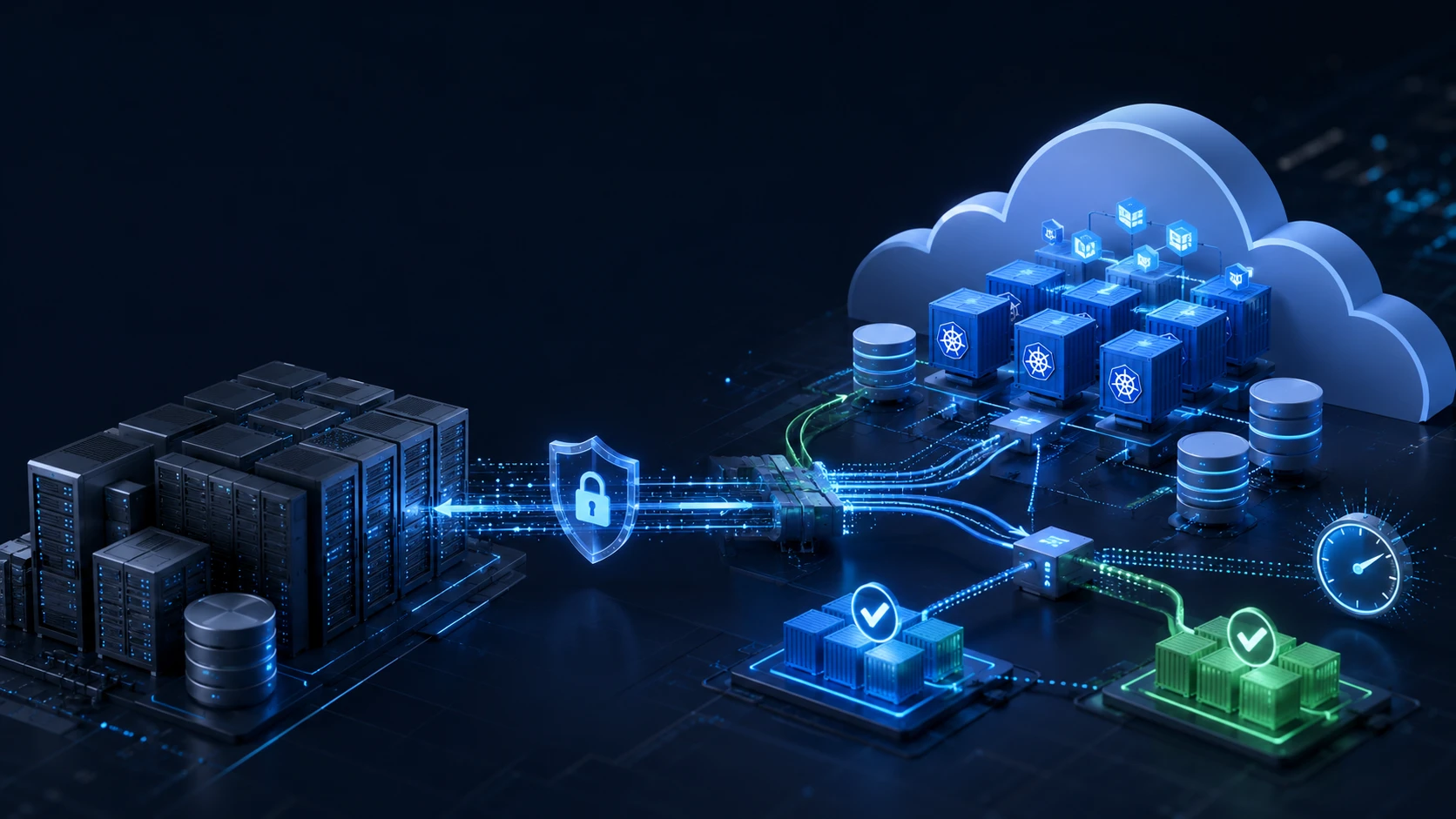
Migrating a legacy SaaS application to the cloud is not simply a matter of copying servers and changing a DNS record. Production applications usually depend on databases, background workers, file storage, payment systems, scheduled jobs, authentication providers, and undocumented infrastructure assumptions.
A poorly planned migration can result in downtime, lost data, failed transactions, broken integrations, and frustrated customers. A well-designed migration keeps the existing application online while the new environment is built, tested, synchronized, and gradually introduced to users.
This guide explains how to plan and execute a low-risk, zero-downtime cloud migration for a legacy SaaS application.
You will learn how to:
- Assess an existing application before migration.
- Select an appropriate migration strategy.
- Build a secure and repeatable cloud environment.
- Synchronize data while production remains online.
- Test the new platform with real traffic.
- Perform a controlled cutover.
- Roll back safely if problems occur.
What Zero-Downtime Migration Means
Zero-downtime migration means that customers can continue using the application throughout the migration process, with no planned outage or only a brief, controlled transition during the final cutover.
In practice, a zero-downtime migration usually involves:
- Keeping the legacy environment online while the new environment is built.
- Replicating data from the old environment to the new environment.
- Testing the new environment before sending customer traffic to it.
- Switching traffic gradually or during a controlled cutover.
- Keeping the original environment available for rollback.
- Monitoring both systems throughout the transition.
Zero downtime does not mean zero risk. It means the migration has been designed so that risks are detected early, customer impact is minimized, and the team has a tested way to recover from failure.
Why Legacy SaaS Migrations Are Difficult
A legacy SaaS platform may include more than the application code:
- A monolithic web application.
- A relational or NoSQL database.
- Background workers.
- Scheduled jobs and cron tasks.
- Redis or another caching layer.
- Message queues.
- Uploaded files and object storage.
- Payment and billing integrations.
- Email and notification services.
- Authentication providers.
- Webhooks.
- DNS records and TLS certificates.
- Monitoring and alerting systems.
- Manual deployment procedures.
- Firewall rules and IP allowlists.
The most dangerous migration failures often come from dependencies that were not documented. For example, an external payment provider may allow requests only from the old server’s IP address, or a scheduled job may continue running in both environments and process the same customer record twice.
The first rule of migration is therefore simple:
Do not migrate what you have not discovered.
Step 1: Discover and Map the Existing System
Before designing the target cloud architecture, create an accurate inventory of the current environment.
Application Inventory
Document every component that participates in production:
- Web servers and API services.
- Application runtime and framework versions.
- Background workers.
- Scheduled jobs and cron tasks.
- Databases and database extensions.
- Caches and message queues.
- File storage.
- Search indexes.
- Authentication and authorization systems.
- Payment providers.
- Email and SMS providers.
- Webhooks and external APIs.
- Monitoring, logging, and alerting.
- Deployment and release systems.
- DNS, certificates, and domain configuration.
For each component, record its purpose, owner, location, dependencies, credentials, and recovery requirements.
A basic inventory might look like this:
| Component | Purpose | State | Key dependency | Migration risk |
|---|---|---|---|---|
| API service | Handles customer requests | Mostly stateless | PostgreSQL | Medium |
| Background worker | Processes asynchronous jobs | Stateful behavior | Queue and database | High |
| PostgreSQL | Stores application data | Stateful | API and workers | Very high |
| Object storage | Stores customer files | Stateful | API and CDN | Medium |
| Redis | Cache and session storage | Stateful | API | Medium |
| Payment provider | Handles subscriptions | External dependency | Webhooks and API | High |
Map Dependencies
Create a dependency map that shows how traffic and data move through the system.
For example:
Customer
   |
   v
DNS / CDN / Load Balancer
   |
   v
Web Application
   |
   +---- PostgreSQL
   +---- Redis
   +---- Message Queue
   +---- Object Storage
   +---- Payment Provider
   +---- Email Provider
For every dependency, answer:
- Is it required for the application to start?
- Is it required for every request?
- Is it stateful?
- Can it be replicated?
- Does it require a fixed IP address?
- Does it have rate limits?
- Does it send or receive webhooks?
- What happens if it becomes unavailable?
- Does it contain sensitive or regulated data?
Identify Hidden Operational Work
Talk to the people who operate the application and ask:
- What is manually changed during a release?
- Which scripts run outside the repository?
- Which jobs run on individual servers?
- Which servers have SSH access?
- Where are production credentials stored?
- Which services are restarted during deployment?
- Which tasks are performed only during incidents?
- Which systems are not represented in Terraform or another IaC tool?
This information is often more valuable than infrastructure diagrams because it reveals the undocumented procedures that keep the system running.
Step 2: Define Migration Requirements
Do not choose the target architecture until the business and technical requirements are clear.
Define RTO and RPO
Two important recovery requirements are:
- Recovery Time Objective (RTO): How quickly the service must be restored.
- Recovery Point Objective (RPO): How much recent data the business can tolerate losing.
AWS defines RTO as the time required to restore an application after an outage and RPO as the point in time to which data must be recovered. aws.amazon
For a SaaS application, different components may have different requirements:
| Component | Example RTO | Example RPO |
|---|---|---|
| Customer-facing API | 30 minutes | 5 minutes |
| Primary database | 1 hour | 5 minutes |
| Customer file storage | 4 hours | 1 hour |
| Background jobs | 1 hour | 15 minutes |
| Analytics dashboard | 24 hours | 24 hours |
These are examples, not universal targets. The correct values depend on customer contracts, business impact, data sensitivity, and budget.
Define Migration Constraints
Document:
- Maximum acceptable customer impact.
- Migration deadline.
- Target cloud provider.
- Required regions.
- Compliance obligations.
- Expected traffic growth.
- Existing cloud contracts.
- Budget limitations.
- Required availability.
- Maintenance and support expectations.
- Required deployment frequency.
- Data residency requirements.
A company serving regulated healthcare customers may prioritize audit logging, encryption, access controls, and documented recovery procedures. A rapidly growing consumer SaaS company may prioritize scalability, deployment speed, and regional availability.
Step 3: Select the Migration Strategy
Not every legacy application should be rewritten during migration. Combining infrastructure migration with a major application rewrite increases the number of variables and makes failures harder to diagnose.
Rehosting
Rehosting, sometimes called “lift and shift,” moves the application to new infrastructure with minimal code changes.
This may involve:
- Moving virtual machines to a new cloud provider.
- Reproducing the existing operating system configuration.
- Moving the database with minimal transformation.
- Keeping the application architecture mostly unchanged.
Advantages:
- Fastest initial migration path.
- Minimal application changes.
- Lower short-term migration risk.
Disadvantages:
- Existing technical debt remains.
- Manual operations may continue.
- Cloud benefits may be limited.
- Infrastructure may not scale efficiently.
Rehosting can be appropriate when the existing platform is stable and the primary goal is to leave an outdated hosting environment.
Replatforming
Replatforming introduces targeted improvements without fundamentally rewriting the application.
Examples include:
- Moving PostgreSQL to a managed database.
- Containerizing the application.
- Moving files to object storage.
- Using a managed cache or queue.
- Replacing manually configured servers with infrastructure as code.
- Adding a modern CI/CD pipeline.
- Introducing centralized logging and monitoring.
For many small and medium-sized SaaS applications, replatforming offers the best balance between migration risk and long-term improvement.
Refactoring
Refactoring changes the application architecture substantially.
Examples include:
- Splitting a monolith into services.
- Redesigning the data model.
- Replacing synchronous workflows with event-driven processing.
- Rebuilding the frontend and backend.
- Moving from a single-region platform to a multi-region architecture.
Refactoring may be necessary eventually, but it should usually be treated as a separate modernization program unless the existing application cannot operate in the target environment.
Recommended Approach
A practical migration sequence is:
- Rehost or replatform the existing application.
- Stabilize it in the new cloud environment.
- Improve observability, security, and deployment automation.
- Refactor selected components based on measured bottlenecks.
This approach avoids turning a migration into an uncontrolled rewrite.
Step 4: Build the New Cloud Environment
The target environment should be created before production traffic is moved.
Core Infrastructure
Depending on the application, the target environment may include:
- Virtual networks and private subnets.
- Load balancers or ingress controllers.
- Application compute.
- Managed databases.
- Redis or another cache.
- Message queues.
- Object storage.
- Container registries.
- DNS and TLS certificates.
- Monitoring and logging.
- Secrets management.
- Backup and recovery systems.
- Security controls and audit logging.
The target architecture should reflect the application’s actual requirements. Kubernetes may be appropriate for a complex platform with multiple services and a capable operations team, but it is not automatically the best choice for every application.
Use Infrastructure as Code
Define the target infrastructure with Terraform or an equivalent tool.
Infrastructure as code should cover:
- Networking.
- Subnets and routing.
- Security groups and firewall rules.
- Compute resources.
- Databases.
- IAM roles and policies.
- Storage.
- DNS.
- Monitoring.
- Backups.
- Kubernetes clusters and supporting services, if applicable.
Benefits include:
- Repeatable environments.
- Peer-reviewed infrastructure changes.
- Easier disaster recovery.
- Reduced configuration drift.
- Faster environment reconstruction.
- Better audit evidence.
- Safer rollback and testing.
Avoid creating a target environment manually through a cloud console and attempting to document it later. Manual infrastructure is difficult to reproduce and easy to misconfigure.
Establish a Security Baseline
Before testing the application, implement basic security controls:
- Enforce MFA for privileged users.
- Apply least-privilege IAM.
- Keep databases private where possible.
- Encrypt data at rest and in transit.
- Store secrets in a secrets manager.
- Enable centralized audit logs.
- Restrict administrative access.
- Scan container images and dependencies.
- Configure network monitoring.
- Define account and access review procedures.
- Enable backups and retention policies.
If the application handles regulated or sensitive information, include these controls in the migration documentation.
Step 5: Prepare the Application
The application itself may require changes before it can run safely in both environments.
Make Application Instances Stateless
A stateless application instance does not depend on data stored only on its local disk or local memory.
Prepare the application by:
- Moving sessions to a shared session store.
- Moving uploaded files to object storage.
- Removing hardcoded local paths.
- Externalizing configuration.
- Sending logs to a centralized system.
- Adding health-check endpoints.
- Making instances replaceable.
- Ensuring application containers can be started repeatedly.
This allows the old and new environments to run simultaneously.
Externalize Configuration
Separate application configuration from application code.
Configuration may include:
- Database connection details.
- Queue URLs.
- Storage buckets.
- Email provider settings.
- Payment provider credentials.
- Feature flags.
- Logging levels.
- External service endpoints.
Use environment-specific configuration or a configuration service. Never commit production credentials to source control.
Prepare Background Jobs
Background jobs are a common source of duplicate processing during migration.
Review whether each job is:
- Idempotent.
- Safe to retry.
- Protected against concurrent execution.
- Able to resume after failure.
- Associated with a unique operation identifier.
- Logged with enough information for troubleshooting.
For example, a billing job should not charge a customer twice if it is retried after a network timeout. A file-processing job should not create duplicate records if both old and new workers temporarily process the same message.
Review Database Compatibility
Before moving the database, check:
- Database engine and version.
- Extensions.
- Collation.
- Character encoding.
- Timezone behavior.
- Stored procedures.
- Triggers.
- Foreign keys.
- Indexes.
- Large tables.
- Long-running queries.
- Connection limits.
- Connection pooling.
- Database users and permissions.
A database migration can appear successful while still containing subtle compatibility problems. Test application behavior against a representative copy of production data where permitted.
Step 6: Migrate Data While Production Remains Online
The database is usually the most sensitive component of a SaaS migration because it contains the system’s source of truth.
Perform an Initial Data Transfer
Start with a complete copy of the existing data:
- Database records.
- Object-storage files.
- Search indexes.
- Configuration data.
- Required metadata.
- Reference data.
The initial copy may take minutes or hours, but the legacy system can remain online while it is performed.
For large databases, consider:
- Native database replication.
- Logical replication.
- Change data capture.
- Managed migration services.
- Backup-based seeding.
- Partitioned or incremental transfer.
Continue Synchronizing Changes
After the initial copy, synchronize changes made in the legacy environment.
Monitor:
- Replication lag.
- Failed events.
- Conflicting updates.
- Missing records.
- Deleted records.
- Large transactions.
- Schema changes.
- Network interruptions.
Do not assume that replication is working merely because the replication process is running. Validate the data independently.
Useful validation methods include:
- Comparing row counts.
- Comparing checksums.
- Comparing recent records.
- Verifying foreign-key relationships.
- Comparing file counts and sizes.
- Checking update and deletion behavior.
- Reviewing replication logs.
Be Careful With Dual Writes
Dual writes occur when the application writes to both the old and new systems.
They can help during certain migrations, but they introduce consistency problems:
- The first write may succeed while the second fails.
- Retries may create duplicates.
- The systems may process events in different orders.
- Partial failures may be difficult to detect.
- Rollback becomes more complicated.
If dual writes are necessary, implement:
- Unique operation identifiers.
- Retry handling.
- Reconciliation jobs.
- Dead-letter queues.
- Consistency checks.
- Alerts for mismatched records.
- A documented failure procedure.
For many applications, database replication is safer than modifying the application to perform unmanaged dual writes.
Step 7: Test the New Environment
A successful deployment does not prove that the migration is ready. The new environment must be tested as a production system.
Functional Testing
Test critical customer workflows:
- Login and logout.
- Registration.
- Password reset.
- User and organization management.
- Creating and editing records.
- File uploads and downloads.
- Payments and subscriptions.
- Email delivery.
- Reports and exports.
- Background processing.
- Scheduled tasks.
- Admin workflows.
- Third-party integrations.
- Webhook delivery.
Data Validation
Validate the migrated data by comparing:
- Total record counts.
- Recent records.
- Updated records.
- Deleted records.
- Relationships.
- Foreign keys.
- File counts.
- File sizes.
- Search indexes.
- Timezones.
- Character encoding.
- Financial totals.
For financial or billing systems, compare totals and transaction states rather than only record counts.
Performance Testing
Measure:
- API response time.
- Page-load performance.
- Database query latency.
- Queue processing time.
- File upload and download speed.
- Concurrent users.
- CPU and memory usage.
- Autoscaling behavior.
- Cache hit ratio.
- Network throughput.
Compare the new environment against production baselines. A migration should not be considered successful if the new platform is technically available but significantly slower or more expensive than expected.
Failure Testing
Simulate realistic failures:
- Application instance failure.
- Database connection failure.
- Cache failure.
- Queue failure.
- Storage failure.
- Availability-zone failure.
- Invalid deployment.
- Expired credentials.
- Replication interruption.
- Third-party API failure.
Verify that alerts are generated, recovery procedures work, and the team knows who is responsible for each response.
Step 8: Introduce Controlled Traffic
Once testing is complete, introduce real traffic gradually.
Possible approaches include:
- Internal users only.
- Staff and support users.
- A small percentage of customers.
- Tenant-by-tenant migration.
- Region-by-region migration.
- Feature-flagged traffic.
- Shadow traffic.
- Blue-green deployment.
- Canary deployment.
Blue-Green Migration
In a blue-green deployment:
- The blue environment is the current production system.
- The green environment is the new cloud system.
- Both environments are prepared before the switch.
- Traffic is directed to one environment at a time.
- Routing can be reversed if a critical problem occurs.
This is simple to understand and works well when the application can run independently in both environments.
Canary Migration
In a canary migration, only a small portion of traffic is sent to the new environment first.
Monitor:
- Error rates.
- Latency.
- Database load.
- Failed background jobs.
- Payment events.
- Authentication failures.
- Queue depth.
- Customer support reports.
- Replication status.
Define success criteria before beginning. For example:
- Error rate remains below the production baseline.
- No critical payment failures occur.
- P95 latency remains within an agreed threshold.
- No data mismatches are detected.
- All critical smoke tests pass.
Step 9: Plan and Execute the Cutover
The final cutover should be performed using a written runbook. Avoid relying on memory, informal chat, or undocumented commands.
Example Cutover Runbook
- Confirm the migration owner and incident contacts.
- Confirm that the new environment is healthy.
- Confirm that backups have completed successfully.
- Confirm that restore points are available.
- Verify that database replication is current.
- Check application and infrastructure dashboards.
- Pause nonessential background jobs.
- Prevent new schema changes during cutover.
- Enable a short write-protection window if required.
- Apply final database changes.
- Confirm final replication status.
- Switch traffic using DNS, load balancing, or routing controls.
- Run automated smoke tests.
- Test login, reads, writes, uploads, billing, and background jobs.
- Monitor logs, latency, and error rates.
- Resume approved background jobs.
- Confirm critical customer workflows.
- Notify internal stakeholders.
- Continue heightened monitoring.
- Keep the legacy environment available for rollback.
Reduce DNS Risk
If DNS will be used for the cutover:
- Reduce the DNS TTL in advance.
- Confirm the new records before migration.
- Verify certificates for the target domain.
- Check DNS behavior from multiple networks.
- Do not assume every resolver will update immediately.
For faster traffic control, a load balancer, reverse proxy, CDN, or dedicated traffic-routing layer may provide more predictable switching than DNS alone.
Run Smoke Tests Immediately
At minimum, test:
- Login.
- Reading existing data.
- Creating new data.
- File upload.
- Payment or billing flow.
- Background job execution.
- Email or notification delivery.
- Admin access.
- A critical third-party integration.
Automate these tests where possible so they can be run consistently before and after the switch.
Step 10: Prepare the Rollback Plan
A migration is incomplete until rollback is documented and tested.
Define Rollback Triggers
Agree on measurable rollback conditions before cutover.
Examples include:
- Error rates exceed the agreed threshold.
- Payment processing fails.
- Customer data is inconsistent.
- Authentication is unavailable.
- Replication has stopped.
- Critical integrations fail.
- Latency becomes unacceptable.
- Background jobs produce duplicate or incorrect results.
Define the Rollback Procedure
Document:
- How traffic returns to the legacy environment.
- Which DNS or routing settings must be reversed.
- What happens to data written to the new environment.
- How new records are synchronized back.
- Who is authorized to trigger rollback.
- How customers and internal teams are notified.
- How long rollback is expected to take.
The hardest rollback problem is usually data written after the cutover. Reversing a routing change does not automatically reverse database changes.
Possible strategies include:
- Keeping writes disabled until validation completes.
- Replicating new writes back to the original database.
- Maintaining an event log.
- Performing a controlled reconciliation.
- Using an application-level write strategy designed for reversibility.
Do Not Decommission the Old Environment Immediately
Keep the legacy environment available until:
- Data has been validated.
- Backups are confirmed.
- The application has passed the stabilization period.
- Critical workflows have been exercised.
- Rollback is no longer required.
- Stakeholders approve decommissioning.
The old environment should be isolated and access-controlled, not casually left running without monitoring.
Common Cloud Migration Mistakes
Migrating Without Dependency Mapping
Undocumented cron jobs, webhooks, IP allowlists, and external integrations often fail after cutover.
Treating Backups as a Disaster Recovery Plan
A backup is not sufficient until it has been restored and verified within the required recovery objectives.
Combining Migration With a Major Rewrite
Moving infrastructure, changing databases, redesigning the application, and rewriting deployment processes simultaneously increases risk.
Ignoring Background Jobs
Running workers in both environments can create duplicate emails, payments, orders, or data records.
Forgetting DNS and Certificates
DNS propagation and TLS configuration can cause an otherwise successful migration to appear unavailable.
Skipping Data Validation
A database can be reachable while still containing missing records, incorrect relationships, or stale data.
Testing Only the Happy Path
Authentication, billing, webhooks, scheduled tasks, and failure recovery require dedicated testing.
Not Testing Rollback
A rollback plan that has never been executed may fail during the incident when time is limited.
Decommissioning Too Early
Keep the original environment available until the new platform has passed a defined stabilization period.
Example Migration Timeline
The exact duration depends on application complexity, data volume, compliance requirements, and the number of integrations. A representative migration may look like this:
| Phase | Activities |
|---|---|
| Week 1 | Application discovery, dependency mapping, and risk assessment |
| Week 2 | Target architecture, RTO/RPO, and migration strategy |
| Week 3 | Cloud environment and networking using infrastructure as code |
| Week 4 | Application preparation, CI/CD, observability, and security controls |
| Week 5 | Initial data migration and replication |
| Week 6 | Functional, performance, security, and failure testing |
| Week 7 | Shadow traffic or limited customer traffic |
| Week 8 | Final cutover, heightened monitoring, and stabilization |
The timeline should include contingency time for unexpected dependencies and failed migration rehearsals.
Zero-Downtime Cloud Migration Checklist
Discovery
- Application components are documented.
- Database dependencies are mapped.
- Background jobs and cron tasks are identified.
- External integrations and webhooks are documented.
- DNS and certificate requirements are known.
- Production credentials and access paths are inventoried.
Planning
- RTO and RPO are defined.
- Migration strategy is approved.
- Cutover owner is assigned.
- Rollback triggers are documented.
- Customer communication is prepared.
- Migration timeline includes contingency time.
Target Environment
- Infrastructure is defined as code.
- Network segmentation is configured.
- MFA and least-privilege access are enabled.
- Secrets are stored securely.
- Encryption is enabled.
- Centralized logging is configured.
- Monitoring and alerting are active.
- Backups and retention policies are configured.
Application
- Application instances are stateless.
- Configuration is externalized.
- Uploaded files use shared storage.
- Health checks are implemented.
- Background jobs are idempotent.
- Database compatibility is verified.
- CI/CD is tested.
Data
- Initial data transfer is complete.
- Ongoing replication is configured.
- Replication lag is monitored.
- Records have been validated.
- Files have been validated.
- Restore testing is complete.
- Final cutover synchronization is documented.
Cutover
- DNS or routing changes are prepared.
- Smoke tests are ready.
- Final backup is complete.
- Replication is current.
- Background jobs are controlled.
- Rollback has been rehearsed.
- The legacy environment remains available.
How CloudCheers Can Help
A successful migration requires more than provisioning cloud resources. It requires application discovery, data strategy, deployment automation, security controls, observability, testing, and a controlled cutover plan.
CloudCheers can help SaaS teams with:
- Legacy application assessment.
- Cloud architecture design.
- Containerization and Kubernetes migration.
- Terraform-based infrastructure automation.
- Database migration and replication.
- CI/CD implementation.
- Security hardening.
- Monitoring and observability.
- Backup and disaster recovery.
- Cutover and rollback planning.
- Post-migration optimization.
Planning a Cloud Migration?
CloudCheers can assess your current application, identify migration risks, design the target architecture, build the cloud environment, and execute a controlled migration with rollback protection.
Request a cloud migration assessment
Also explore:
- Cloud solutions
- DevOps and platform engineering
- Legacy application migration to EKS
- Multi-cloud infrastructure automation with Terraform
- Automated disaster recovery for an e-commerce platform
Final Takeaway
The safest cloud migration is phased, measurable, and reversible.
Build the new environment before moving traffic. Keep production online while data is replicated. Test real workflows, not only infrastructure health. Introduce traffic gradually, define rollback triggers in advance, and retain the original environment until the migration has been proven stable.
With the right preparation, even a complex legacy SaaS application can move to a modern cloud platform without a disruptive customer-facing outage.